
Setup wizard
Browser-based first-boot configurator that ships with the demo VM image. It is not part of a production install, production users hand-write values.yaml and run helm install themselves.
The wizard's job is to:
- Authenticate the operator with a per-boot setup token.
- Collect the minimum config needed to install
soctalk-system. - Write
/etc/soctalk/values.yaml,/etc/soctalk/llm.key, and a tenant onboard env-file. - Exit and hand off to
soctalk-firstboot.service, which runshelm installand onboards a demo tenant.
Source lives in setup-wizard/ (Go, ~600 lines).
How to reach it
Port :8443 on the VM. TLS only; the wizard generates a self-signed ECDSA P-256 cert at first boot covering the VM's local IPs, localhost, and soctalk.local. Bind port is :8443 (not :443) so it doesn't collide with k3s-bundled Traefik.
https://<vm-ip>:8443/Setup token
The wizard generates a 256-bit setup token on first start and writes it to /var/log/soctalk-setup-token (mode 0600, root-owned). Retrieve with:
ssh ops@<vm-ip>
sudo cat /var/log/soctalk-setup-token
The token is rotated on every wizard restart. There is no API to recover a lost token without restarting the unit; restarting it rotates and re-prints.
Two-stage form
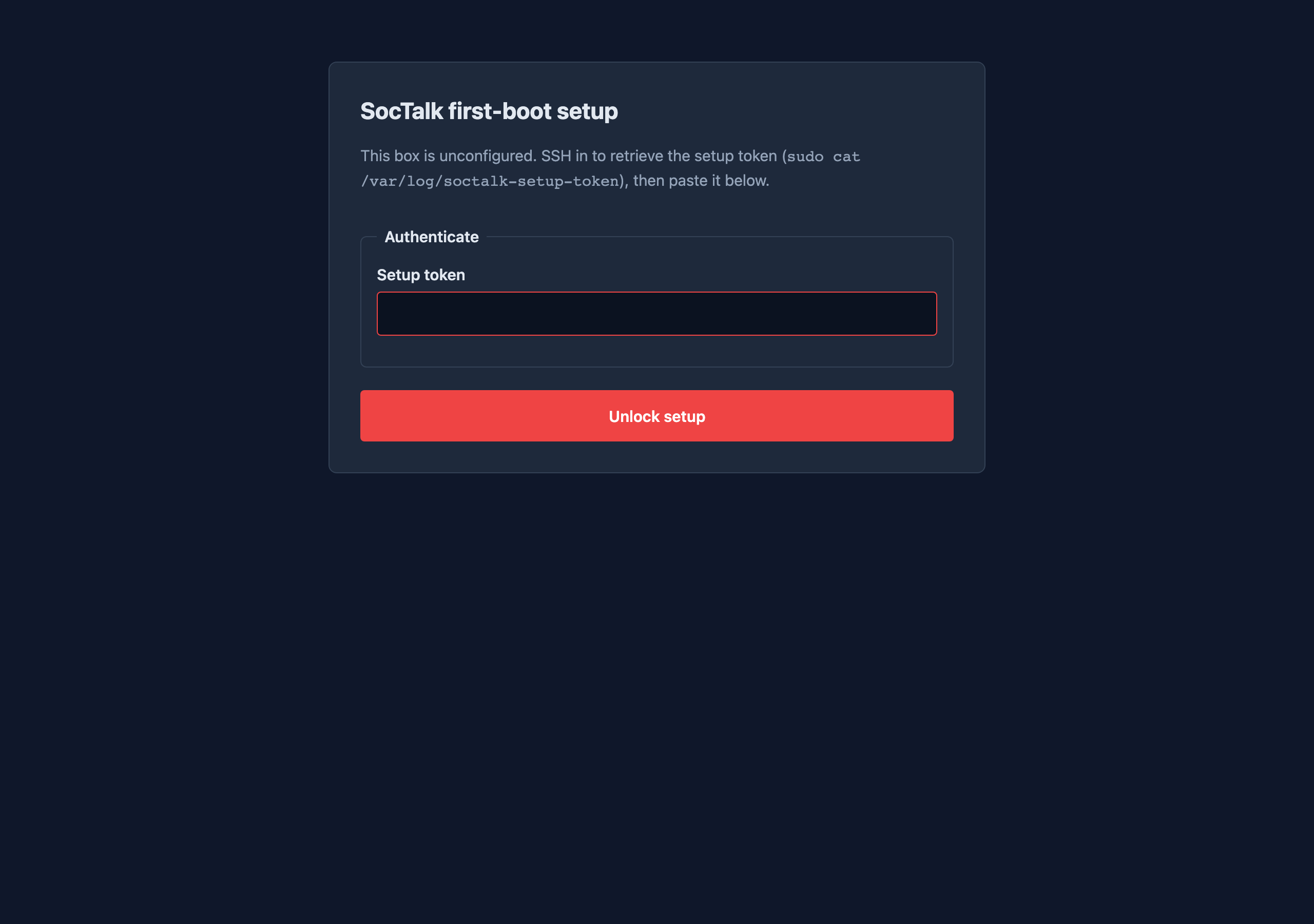
- Authenticate: paste the setup token.
- Configure: fill the fields below.
The token-entry page submits to POST /auth; the config page submits to POST /submit. Both use HMAC-bound CSRF cookies (SameSite=Strict, HttpOnly, Secure).
Stage 1, Authenticate
Stage 2, Configure
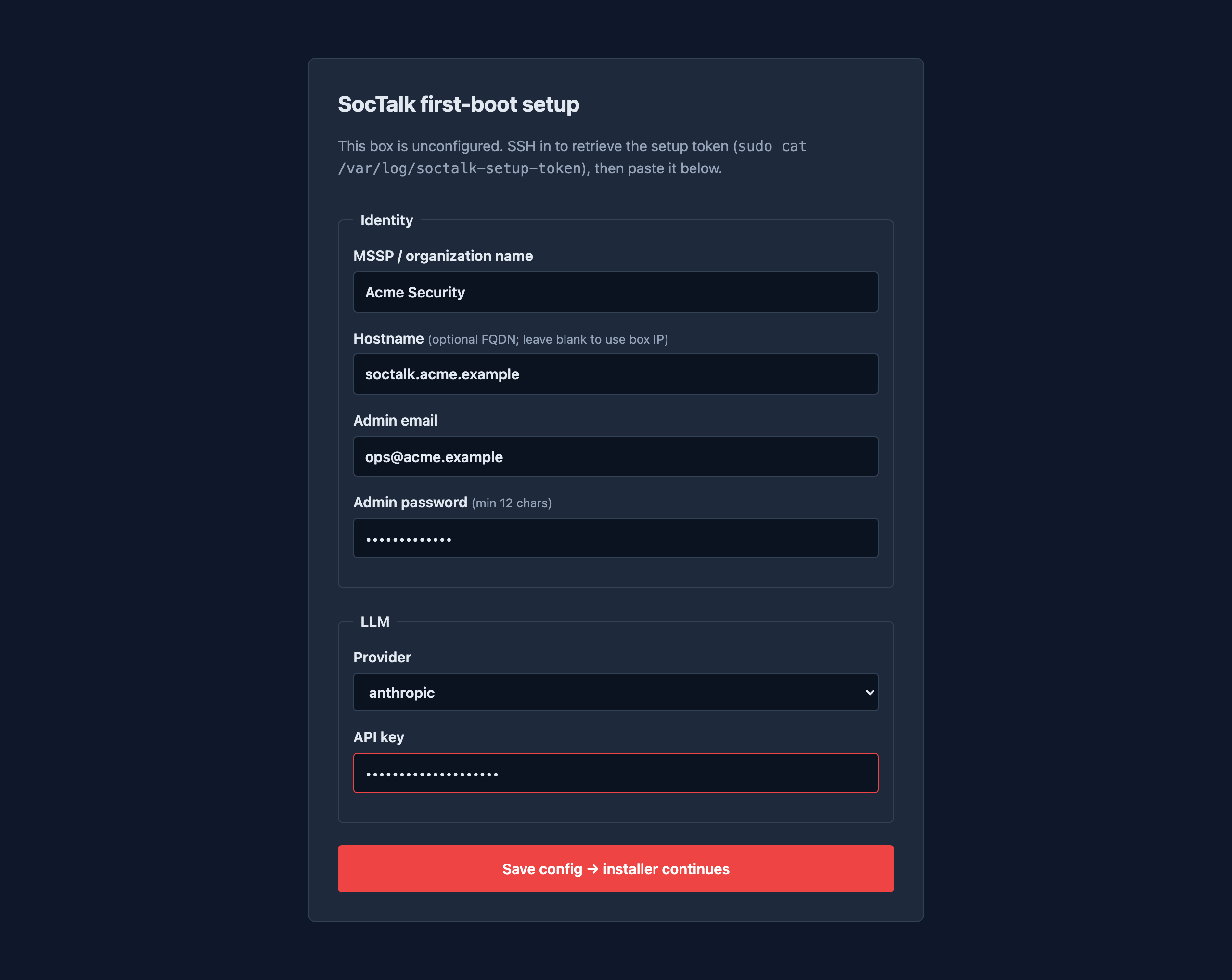
Identity
| Field | Type | Notes |
|---|---|---|
| MSSP / organization name | text, ≤120 chars | becomes install.msspName in the chart values |
| Hostname | optional FQDN, ≤253 chars | blank → defaults to soctalk.local; the chart rejects IP addresses on spec.rules[0].host |
| Admin email | becomes the bootstrap mssp_admin (V1 chart init creates this role, not platform_admin) | |
| Admin password | password, ≥12 chars | written into the values file as install.bootstrapAdmin.password. The chart's init creates the user with must_change=false, so first sign-in is immediate |
LLM
| Field | Type | Notes |
|---|---|---|
| Provider | select (anthropic, openai) | Display-only in this release. The wizard collects the value but does not write it to the chart values; the chart's default (openai-compatible) applies. To pin a specific provider, edit /etc/soctalk/values.yaml to set defaults.llm.provider before soctalk-firstboot.service runs, or helm upgrade after install. Tracked for wiring through the wizard in a future release |
| API key | password | written to /etc/soctalk/llm.key (mode 0600), NOT to the values file. The installer creates a Kubernetes Secret from it (soctalk-system-llm-api-key) with both anthropic-api-key and openai-api-key data fields, so the chart's runtime can use whichever provider the values say |
Demo tenant onboarding
The wizard also writes /etc/soctalk/onboard.env:
ADMIN_EMAIL='<email>'
ADMIN_PW='<password>'
INGRESS_HOST='<hostname or soctalk.local>'
TENANT_SLUG=demo
TENANT_NAME='<org name> — Demo'
soctalk-firstboot.sh reads this after helm install succeeds, logs in via POST /api/auth/login, and calls POST /api/mssp/tenants/onboard with {slug: demo, profile: poc, display_name: <name>}. The tenant onboarding is asynchronous: the API returns 202 immediately; the provisioning controller spins up the Wazuh stack in the background. The first-boot installer does not wait for the tenant to reach active before exiting.
What the wizard writes
| Path | Mode | Content |
|---|---|---|
/etc/soctalk/values.yaml | 0640 | Rendered chart values (install.*, ingress.*, postgres.*) |
/etc/soctalk/llm.key | 0600 | LLM API key, single line |
/etc/soctalk/onboard.env | 0600 | Demo-tenant onboarding env-file |
/var/lib/soctalk-wizard.done | 0644 | Sentinel, prevents the wizard from re-firing on subsequent boots |
systemd unit
[Unit]
After=cloud-init.target network-online.target
ConditionPathExists=!/var/lib/soctalk-firstboot.done
ConditionPathExists=!/var/lib/soctalk-wizard.done
ConditionPathExists=!/etc/soctalk/values.yaml

[Install]
WantedBy=cloud-init.target
It hooks cloud-init.target (not multi-user.target) to avoid an ordering cycle through After=cloud-final.service. Cloud-init's user-data is allowed to land /etc/soctalk/values.yaml directly, if it does, the wizard never starts and soctalk-firstboot.service proceeds straight to helm install.
Hardening
The unit uses systemd's standard hardening: ProtectSystem=strict, ProtectHome=true, PrivateTmp=true, NoNewPrivileges=true, RestrictNamespaces=true, MemoryDenyWriteExecute=true. Writes are confined to /etc/soctalk, /var/lib, and /var/log. The wizard binds the privileged port :8443 via AmbientCapabilities=CAP_NET_BIND_SERVICE.
After a successful submit, the wizard writes the sentinel and exits. systemd's ConditionPathExists=!sentinel prevents it from restarting on boot.
Anti-abuse
- Token gate on every authenticated endpoint. Constant-time comparison.
- CSRF via HMAC-bound double-submit cookies on every state-changing POST.
- Rate limit: 30 s minimum between auth attempts per source IP; 10 failures within an hour blocks the IP for an hour. (Codex flagged this as a trivial DoS vector behind NAT, operators behind a shared NAT may see legitimate setup blocked. Restart the unit to clear.)
- Self-signed TLS only. The wizard never serves plaintext HTTP. Customers accept the self-signed cert once; production users should never reach the wizard at all.
What happens after submit
The wizard returns {poll: "/status", status: "accepted"} and exits after a 3-second grace window (so the customer's poller can grab the success response). Then:
soctalk-firstboot.servicenoticesvalues.yamlexists, starts.systemctl start k3s(k3s was installed but not started by Packer, so the wizard had:8443free).- Creates
soctalk-systemnamespace + the LLM Secret. helm upgrade --install soctalk-system /opt/soctalk/charts/soctalk-system --values /etc/soctalk/values.yaml --wait --timeout 15m.- Patches the
kube-system → soctalk-systemNetworkPolicy so Traefik can reach the soctalk-system Services. - Polls
/api/auth/methrough Traefik (Host header trick) for up to 10 minutes. 200 or 401 both mean "Traefik is routing"; the loop accepts either. - Logs in as the bootstrap admin, calls
POST /api/mssp/tenants/onboard. - Writes
/var/lib/soctalk-firstboot.done.
Tail /var/log/soctalk-firstboot.log (or journalctl -u soctalk-firstboot -f) to watch.
Reset / re-run
To re-run the wizard after a successful install:
sudo rm /var/lib/soctalk-firstboot.done /var/lib/soctalk-wizard.done /etc/soctalk/values.yaml
sudo systemctl restart soctalk-setup-wizard
This is destructive, the existing helm release still owns the soctalk-system namespace. For a clean reset, helm uninstall soctalk-system -n soctalk-system first.